
Disclosure: Some of the links below are affiliate links. If you sign up through them, No Hire Needed may earn a commission at no extra cost to you. We only recommend tools we have researched and evaluated. Our full disclosure lives in the site footer.
Last Updated: October 26, 2026
Zoho Social review: what it is
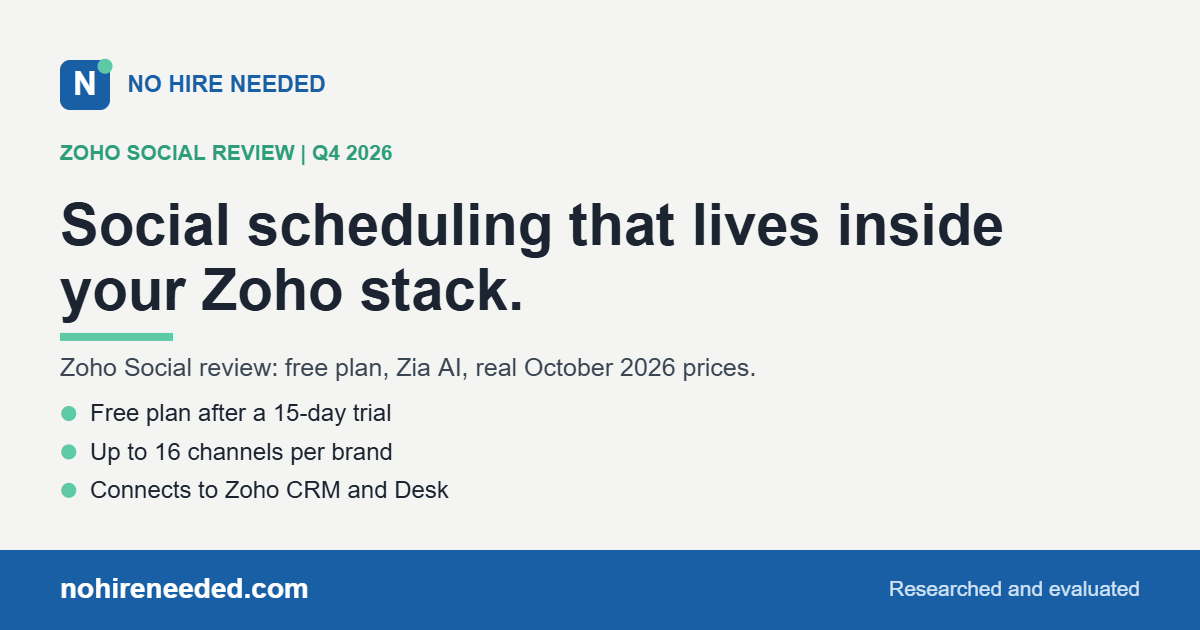
This Zoho Social review is for the business that already runs on Zoho, or wants a capable scheduler with a free plan. Zoho Social is Zoho’s social media management tool: schedule and publish to up to 16 channels, monitor conversations, reply from one inbox, and report on results, with Zia AI credits for writing posts and replies. Its biggest advantage is that it connects to Zoho CRM and Zoho Desk, so social leads and support questions land in the same system as the rest of your business. We researched and evaluated it, and it earns a place in our roundup of AI social media scheduling tools as the pick for Zoho shops.
How Zoho Social saves you a hire
Zoho Social covers the work of a social media coordinator: planning posts on a calendar, scheduling them at the best times with SmartQ on Premium, repeating and recycling posts, pulling content in from RSS feeds, and watching for mentions on a monitoring dashboard. Zia AI drafts posts and replies on monthly credits.
On the Premium plan, it also covers part of a sales and support role: social conversations can become leads in Zoho CRM or tickets in Zoho Desk. For a business already on Zoho, that removes the copy-and-paste work between apps. What stays with you is the voice and the judgment.
Best for
- Businesses already on Zoho. Premium connects to Zoho CRM and Zoho Desk for leads and support.
- Owners who want to start free. The free plan covers 1 brand on 6 channels after a 15-day trial.
- Small teams that need approvals. Premium adds 3 team members, content approvals, and an inbox.
Strengths
- Free plan. 1 brand on Facebook Pages, X, Instagram, LinkedIn profiles and pages, and Google Business Profile, with 5 AI credits.
- Up to 16 channels on paid plans. Standard and Professional add YouTube, Pinterest, TikTok, Mastodon, Threads, Bluesky, and Snapchat; Premium adds WhatsApp Business and Telegram.
- Automation on Professional. Bulk scheduling, repeat posting, RSS feeds, scheduling reposts, and a monitoring dashboard.
- Zoho integrations on Premium. Zoho CRM and Zoho Desk, lead generation, and custom reports.
- Zia AI. AI credits for writing posts and replies on every plan.
What it costs
| Plan | Monthly | Billed yearly (per month) | Channels (1 brand) | Team members | AI credits |
|---|---|---|---|---|---|
| Free | $0 | $0 | 6 | 1 | 5 |
| Standard | $15 | $10 | 14 | 1 | 40 |
| Professional | $40 | $30 | 14 | 1 | 40 |
| Premium | $65 | $40 | 16 | 3 | 80 |
Extra brands cost $14.50 a month on Professional and $19.50 on Premium (billed yearly; $17 and $23 monthly), and extra team members $10 a month billed yearly ($12 monthly). The 15-day free trial needs no credit card, and afterward the account moves to the free plan. Agency plans are also available. Local taxes are added. Prices verified in US dollars on zoho.com on October 26, 2026. Zoho adjusts pricing by region; pricing and plans are set by Zoho and can change, so confirm current pricing on their site before you subscribe.
What changed recently (as of October 2026): Zoho Social marks the Inbox on its Premium plan as new, its paid plans list Threads, Bluesky, and Mastodon, and Zia AI credits come with every plan.
How Zoho Social compares
- Publer costs less per account and covers 13 networks with recycling and link in bio. See our Publer review.
- Metricool adds deeper analytics and ad tracking, with a free plan. See our Metricool review.
- Vista Social is the upgrade for local businesses that need review management. See our Vista Social review.
See how all of them rank in our roundup of the best AI social media scheduling tools.
Is Zoho Social right for you?
Here is the honest fit test. If you already use Zoho CRM, Books, or Desk, Zoho Social keeps social media in the same system and the same login, and Premium turns social conversations into leads and tickets. If you just want to start free on the main networks, its free plan is generous enough to prove the workflow.
The time to skip it is if you do not use Zoho and want the lowest price for many networks. Publer gets you further for less.
For Zoho shops, Zoho Social is the natural choice, and the 15-day trial with no card is an easy way to try every feature.
Zoho Social FAQ
Is Zoho Social free?
Yes. After a 15-day trial, the account moves to a free plan with 1 brand, 6 channels, 1 team member, and 5 AI credits. Paid plans start at $15 a month, or $10 a month billed yearly, as of October 2026.
Does Zoho Social connect to Zoho CRM?
Yes, on the Premium plan, along with Zoho Desk and lead generation.
Does Zoho Social use AI?
Yes. Zia AI credits help write posts and replies, from 5 a month on Free to 80 on Premium.
Can Zoho Social post to Threads and Bluesky?
Yes, on Standard and higher plans.
Zoho Social or Publer?
Choose Zoho Social if you run your business on Zoho. Choose Publer for the lowest price across many networks.
Bottom line
Zoho Social is a capable, fairly priced scheduler with a real free plan, and for a business already on Zoho it is the obvious pick, because Premium ties social media into your CRM and help desk. Start with the 15-day trial and decide whether the free plan or a paid tier fits.
Compare the full field in our roundup of the best AI social media scheduling tools, and build the rest of your stack with the AI Tool Guide for solopreneurs and small business.
Found No Hire Needed useful? A quick review helps other solo operators decide whether this site is worth their time, and it takes about a minute. Review us on SmartCustomer →