
Disclosure: This post contains affiliate or referral links. We may earn a commission if you sign up for a tool through our links, at no cost to you. Promotional amounts, terms, and availability are set by each app and can change at any time. Always review and confirm the current offer before signing up. Terms apply. AI tools assisted in the research and drafting of this content; all opinions and recommendations are the author’s own.
Last Updated: August 9, 2026
The best AI website builders for solopreneurs collapse a job that used to cost thousands (hiring a web designer) into a task you finish before lunch. You describe your business in a sentence or two, and the AI generates a complete, styled, mobile-ready site: pages, copy, images, and layout. For a one-person business, that’s not a shortcut; it’s the difference between having a professional web presence and putting it off for another six months. I researched and evaluated the tools that do this well, and ranked the seven that give a solopreneur the most site for the least money and effort in 2026.
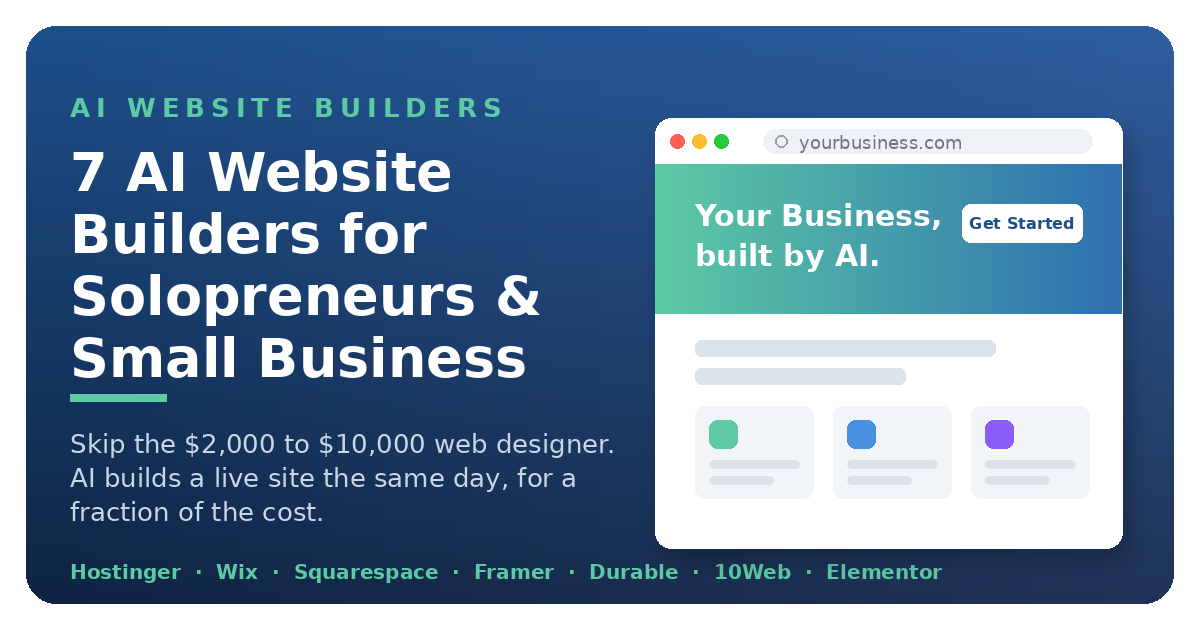
A web designer runs $2,000–$10,000 for a small business site, plus a wait and a round of revisions. Every one of these AI website builders for solopreneurs gets you a live, editable site the same day, most for less than the price of a couple of coffees a month. Here’s how they compare, who each one is really for, and what the honest budget looks like once the marketing gloss comes off.
How We Chose These AI Website Builders
We started from the jobs a real solo or small-business owner needs done: get a credible site live fast, keep it cheap to run, and be able to edit it yourself afterward. We researched and evaluated each builder on five things: what its AI actually produces, how usable it is for a non-designer, total cost including renewals, how far it scales as you grow, and how much it locks you in. We skipped flashy demos and agency-only feature lists. Every tool here earns its spot by doing a job a one-person or small-team business actually has, and we flag where each one falls short so you are not surprised after you build.
What to Look for in an AI Website Builder
The demos all look magical. What actually matters for a company of one is narrower. First, does the price include hosting, or is the sticker just the builder? Second, how easy is it to edit after the AI’s first pass, because you’ll be the one making every change forever.
Third, does it handle the practical business bits a solopreneur needs: a contact form, booking, a simple store, and basic SEO controls. Fourth, can you get your content out if you outgrow it, or are you locked in for good. And fifth, how much of the “AI” is real help versus a one-time template generator you never touch again. The picks below are ranked with those realities in mind, not the demo dazzle.
The 7 Best AI Website Builders at a Glance
| Tool | Best For | Standout |
|---|---|---|
| Hostinger www.hostinger.com | Cheapest all-in-one (builder + hosting) | Hosting included |
| Wix www.wix.com | All-around beginner with business tools | Biggest app + template library |
| Squarespace www.squarespace.com | Design-first portfolios & creatives | Award-winning templates |
| Framer www.framer.com | Designer-grade visuals & animation | True designer-grade control |
| Durable www.durable.co | Fastest build for local service businesses | Full site in ~30 seconds |
| 10Web www.10web.io | AI on WordPress (flexibility + control) | AI-built on real WordPress |
| Elementor www.elementor.com | Adding AI design to an existing WordPress site | Drag-and-drop on any WP theme |
Hostinger: Cheapest All-in-One (Builder + Hosting)
Hostinger is the value champion, and it’s the one I’d point a budget-conscious solopreneur to first. Its AI builder generates a complete website from a few prompts in under a minute, and, crucially, the price includes hosting, a domain on most plans, and email, starting at a very low rate on longer terms (verify current).
That bundling is the whole story for a one-person business: one bill, one login, no wiring a builder to a separate host. Its hPanel dashboard is genuinely beginner-friendly, and the AI can regenerate sections or rewrite copy on request, so you’re not stuck with the first draft. It’s less of a design showpiece than Framer or Squarespace, but for getting a real, functional site live cheaply and fast, nothing here beats it.
Wix: Best All-Around for Beginners
Wix is the safest all-rounder. Its AI site generator turns a description of your business into a full site, and behind it sits the deepest bench of built-in tools on this list: bookings, payments, a store, email marketing, and an app market for everything else. There’s a free plan to start and paid plans at a higher tier. The tradeoff is that Wix keeps you inside Wix; your site isn’t portable. But for a solopreneur who wants one platform that does a bit of everything without technical setup, it’s hard to go wrong.
Squarespace: Best for Portfolios and Creatives
If your site is your product (you’re a designer, photographer, coach, or writer), Squarespace wins on polish. Its templates are the best-looking defaults in the business, its AI helps generate structure and copy, and built-in scheduling makes it a natural fit for anyone selling their time. Plans start at a mid-range price. It’s less flexible and pricier than Hostinger, and lighter on business plumbing than Wix, but for a clean, credible, design-forward presence with almost no effort, it’s the taste-maker’s pick. For a portfolio, a photography site, or a coaching page where the design is the sales pitch, it’s the top choice on this list; nothing else here makes a company of one look this considered by default.
Framer: Best for Designer-Grade Visuals
Framer is where AI convenience meets genuine design credibility. It generates modern, animated sites that look like a studio built them, with smooth interactions baked in, the kind of site that makes a one-person business look far bigger than one person. There’s a free tier and paid plans at an affordable price. The learning curve is a touch steeper than the pure “describe it and go” builders, and it’s aimed more at marketing sites than full stores, but if you want your site to signal quality, Framer punches above every price here.
Durable: Fastest Build for Service Businesses
Durable is built around one promise: a complete website in about 30 seconds, generated from a few details about your business. It’s aimed squarely at local and service businesses, whether you run solo or with a small team (the plumber, the cleaner, the consultant) who need a legitimate web presence today and don’t care about pixel-level control. It bundles simple CRM and invoicing tools too, nudging toward an all-in-one for a solo service business. Plans start at an affordable price. Least customizable on this list, but the fastest from zero to live.
10Web: Best AI Builder on WordPress
10Web is the pick for the owner who wants AI speed but refuses to be locked in. It generates your site on real WordPress, so you keep the flexibility, plugin ecosystem, and portability of the world’s most popular platform, with AI handling the build and automated performance optimization on top. Plans start at a budget price including managed hosting. You can start with the AI build and graduate into full WordPress control whenever you’re ready, no migration, no rebuild. If you think you’ll eventually want the control WordPress gives (as this very site runs on), 10Web is the smartest long-term bet for launching a new WordPress site with AI.
Elementor: Best for Adding AI to a WordPress Site You Already Run
Elementor is the odd one out on this list, and that’s exactly why it earns a spot. It isn’t a standalone site generator; it’s the most popular design and page-building layer for WordPress, now with AI built in. If you already run a WordPress site, or know you’ll want the control WordPress gives, Elementor lets you build and redesign visually with drag-and-drop while its AI generates copy, images, and layout sections on the spot instead of from a blank canvas.
Where 10Web spins up a brand-new WordPress site with AI, Elementor is the pick for adding AI-assisted building to a site you already own, no platform switch, no lock-in. The core plugin is free; the Pro upgrade is available on paid plans, with Elementor’s AI features available as a paid add-on (see the comparison table above for pricing). Best for anyone, solo or a small team, already committed to WordPress who wants full design control with AI speed layered on top. .
How Much Do AI Website Builders Cost in 2026?
Sticker prices mislead, so read them carefully. The real cost of AI website builders for solopreneurs comes down to one question: is hosting included, or is the monthly fee just the builder? Hostinger and 10Web bundle hosting into the price, so the number you see is close to the number you pay. Wix, Squarespace, Framer, and Durable charge for the builder and expect you to live on their platform, fine, but the plan fee is the floor, not the ceiling, once you add a custom domain, business email, or e-commerce.
Annual billing is where the advertised entry prices come from; paying month to month is typically 40–60% higher, and the entry tier often caps pages, storage, or removes ads only on the next plan up. For a genuine one-person business, the honest all-in budget is $10–20/month on an annual plan, a rounding error against a designer’s invoice, and the reason this category exists at all. Whatever you pick, confirm the current price and exactly what the plan includes before you commit; these numbers move constantly.
AI Website Builders vs. Hiring a Web Designer
Here’s the comparison that actually matters for a company of one. A freelance web designer runs $2,000–$10,000 for a small-business site, takes two to six weeks, and bills again every time you want to change a headline or swap a photo. The best AI website builders for solopreneurs replace that entire line item: you get a live, on-brand site the same day, and, more importantly, you can edit it yourself forever without emailing anyone or paying a revision fee.
A designer still wins when your site needs something genuinely custom: a complex booking or membership flow, a bespoke brand system, an unusual integration. But for the vast majority of solo businesses that need a clean, credible, five-page site that loads fast and converts, hiring a professional is spending money to solve a problem the AI already solved. That’s the whole thesis of this site, covering the roles you can’t afford to hire, starting with the one most people overpay for first. Build it yourself in an afternoon, then put the $2,000 you saved toward something that actually needs a human.
Which AI Website Builder Should You Pick?
If you are a solopreneur or one-person shop: Hostinger is the cheapest way to get a real site live today, builder and hosting in one. Choose Durable if you are a local or service business and want the fastest possible build, or Wix if you want the easiest all-around experience.
If you are a small business or small team: lean toward 10Web or Elementor when you want WordPress-level control and room to grow, Squarespace when brand and portfolio presentation matter most, or Wix for a broad feature set a small team can manage together without a developer.
The AI website builders for solopreneurs above solve the same problem from different angles, so match the tool to your situation. On the tightest budget or want one bill for everything, start with Hostinger. Want the deepest built-in business tools, pick Wix. Selling your creative work, go Squarespace. Need your site to look premium, choose Framer. Running a local service business that needs a site today, use Durable. Want AI speed without giving up long-term control, build on 10Web.
Already committed to WordPress and want AI building inside it, add Elementor. Whichever you choose, remember a beautiful site nobody finds is a hobby; once it’s live, make it rank with the best AI SEO tools for solopreneurs, and see where your site fits in the AI tech stack every solopreneur needs. That’s the whole idea here: covering a role, the web designer, you genuinely can’t afford to hire.
How to Get the Best Results From an AI Website Builder
The AI does the heavy lifting, but your input decides the output. Before you generate anything, write two or three sentences that name what your business does, who it’s for, and the single action you want a visitor to take: book a call, buy a product, join a list. The AI website builders for solopreneurs on this list all read that brief and design around it, so a vague prompt (“a website for my business”) produces a generic site, while a specific one (“a booking site for a mobile dog groomer serving three neighborhoods, goal is phone calls”) produces something close to finished.
After the first draft generates, resist the urge to redesign it by hand. Regenerate a section with a tweaked prompt instead; it’s faster and keeps the layout consistent. Add your real logo, colors, and photos early, connect your domain, and switch on the SEO fields the builder exposes before you publish. Every one of the AI website builders for solopreneurs here rewards a sharp brief over a hand-built rebuild: treat the output as a professional first draft you refine, not a final answer, and the site looks deliberate rather than templated.
Common Mistakes to Avoid When Choosing a Website Builder
The most expensive mistake is paying for power you’ll never use. A solopreneur rarely needs enterprise hosting, ten team seats, or a sprawling plugin marketplace; those features inflate both the price and the learning curve without touching your bottom line. The AI website builders for solopreneurs reviewed here span a wide price range, so match the tool to the job in front of you: a simple service site has very different needs from a growing online store, and the cheapest plan that covers your real requirements almost always wins.
The second mistake is ignoring what happens after launch. Check whether the builder lets you edit the site yourself without re-hiring anyone, whether you own your content, and how hard it is to move to another platform later. Free plans that stamp their own branding across your pages, or lock your domain in, can cost you more credibility than the money you saved. Read the exit terms before you commit, not after.
Do AI Website Builders Hurt Your SEO?
No, not on their own. Search engines rank content and structure, not whether a human or an AI placed the blocks. Every builder here lets you set page titles, meta descriptions, headings, image alt text, and clean URLs, which is most of on-page SEO. The WordPress-based options, 10Web and Elementor, give you the deepest control through plugins like Rank Math if search is central to your plan. The real SEO risk is not the builder, it is a thin site with little useful content, and that part is on you. Publish genuinely helpful pages and any of these will rank as well as a hand-coded site.
Frequently Asked Questions About AI Website Builders
Do AI website builders work for a small business, not just solopreneurs?
Yes. Several here scale well beyond a one-person site: Wix, Squarespace, and 10Web all handle multi-page sites, online stores, and multiple editors, so a small team can run and grow the site without a developer.
Can a small team collaborate on an AI website builder?
Some do it better than others. Wix and Squarespace support multiple contributors, and a WordPress-based build with 10Web or Elementor lets you assign proper user roles, which is the cleaner setup once more than one person touches the site.
Can I move my site to another platform later?
It depends on the builder. WordPress-based sites like 10Web and Elementor are the most portable, since you own the install and can migrate hosts. Closed all-in-one platforms make a full export harder, so factor independence in before you build.
Do AI website builders work for online stores?
Yes, several do. Wix and Squarespace both include solid ecommerce, and Hostinger supports a store on a budget. For a large or complex catalog a dedicated ecommerce platform may fit better, but for a small shop these handle it.
Are AI website builders good enough for a real business?
Yes, for the vast majority of one-person businesses. Today’s tools produce clean, mobile-ready, professional sites that stand up next to a mid-range freelance build, enough for a service business, portfolio, booking page, or small store. Where they still fall short is highly custom design and complex web apps; if you need a bespoke interface or unusual functionality, a developer is still the right call.
How much do AI website builders cost?
Most land between $10 and $30 a month once you’re on a paid plan with your own domain, and several have genuinely usable free tiers for testing first. That’s a fraction of the $2,000–$10,000 a custom build runs; the full per-tool pricing is in the comparison table above.
Can AI website builders handle SEO?
All the builders here expose the SEO basics: page titles, meta descriptions, alt text, clean URLs, and fast mobile performance. That covers what a solopreneur needs to rank for local and long-tail searches. For heavy content SEO you may still want a dedicated tool, but the builder won’t hold you back.
Do I need any design or coding skill to use one?
No. The entire point is that you describe the site in plain language and edit it visually. If you can write an email and drag a photo into place, you can build and maintain the site yourself, no code, no designer, no monthly retainer.
Which AI website builder is best on a tight budget?
Hostinger is the cheapest all-in-one because the builder and hosting come in a single low-cost plan, which is why it tops this list on price. If you’d rather start free, Wix’s free tier lets you build and preview a site before you pay a cent.
Are AI website builders better than hiring a freelancer?
For speed and cost, easily: you get a live site the same day for the price of a lunch, and you can change it yourself forever after. A freelancer still wins on fully custom, complex projects. For a standard small-business site, the AI builder is the better use of a solopreneur’s money and time.
Tools Mentioned in This Post
Source: Web design cost estimates referenced in this article are drawn from Fiverr’s guide, How Much Does It Cost to Hire a Web Designer?