Last Updated: November 17, 2026
Editor’s note: this is an editorial. It contains no affiliate links, and no vendor paid to be included.
Black Friday software deals look simple: a big percentage, a countdown timer, and a button. For a small business, a solopreneur or a freelancer, they are anything but simple. When you buy a TV on Black Friday, the discount is the whole story. When you buy software, you are signing up for a relationship that renews, and the number in the banner is usually the least important number on the page.
This guide is about reading Black Friday software deals the way a careful buyer would. We researched how software companies structure their holiday offers this year, what the fine print usually says, and where the real costs hide. The short version: a good deal on a tool you will use every day for years can save real money. A great-looking deal on a tool you will abandon by February is just a delayed bill. Here is how to tell the two apart in about fifteen minutes.
Why Black Friday Software Deals Need a Different Kind of Reading
Holiday shopping keeps getting bigger and earlier. Adobe’s 2026 forecast expects U.S. shoppers to spend $47.5 billion online during Cyber Week, the five days from Thanksgiving through Cyber Monday, with Black Friday alone at $12.9 billion and growing faster than Cyber Monday. (Adobe’s 2026 holiday forecast.) Software companies follow the crowd. Their offers start earlier every year, and many now run from early November into the first days of December.
The problem is that software pricing was already confusing before anyone put a discount on it. Monthly and annual prices, per-seat charges, usage limits, AI credits, add-ons and plan tiers all stack up. A holiday offer adds another layer: which of those things does the discount actually touch, and for how long?
Three facts shape almost every software deal you will see this month:
- Most discounts apply to the first term only. The first year is cheaper. The second year is full price unless you act.
- Most discounts require paying for a year up front. The deal is a trade: a lower price in exchange for your commitment and your cash today.
- The subscription renews automatically. If you forget about it, the renewal charge arrives at the regular price, often a full year later when you have stopped thinking about it.
None of that is a trick. It is how subscription software works. But it means the right question is never “how big is the discount?” It is “what will this tool cost me over the time I actually use it?”
The Four Kinds of Black Friday Software Deals You Will See
Almost every holiday software offer fits one of four shapes. Knowing which one you are looking at tells you most of what you need to know.
1. The first-term discount
“40% off your first year” or “50% off for three months.” This is the most common shape by far. The discount ends on a date you will not be reminded of, and the subscription continues at the regular price. Worth it for a tool you already know you will keep. Risky for a tool you are only curious about.
2. The discount that lasts while you stay
“30% off for life” or “lock in this price forever.” This is still a subscription. You still pay every month or every year. What lasts is the discount, not the access, and it usually lasts only as long as you never cancel, pause or change plans. Read what happens if you upgrade or downgrade: many of these offers quietly end the moment you switch plans.
3. The lifetime deal
One payment, no renewals. This one is genuinely different, and it gets its own section below, because “lifetime” means the lifetime of the product and of that plan, not your lifetime.
4. The bonus deal
Extra months free, a longer trial, doubled credits, a free upgrade to a higher tier for a while. These can be the most honest offers of the season because the price itself does not change. Check one thing: when the bonus ends, does the account drop back to your plan automatically, or does it keep you on the higher tier and bill you for it?
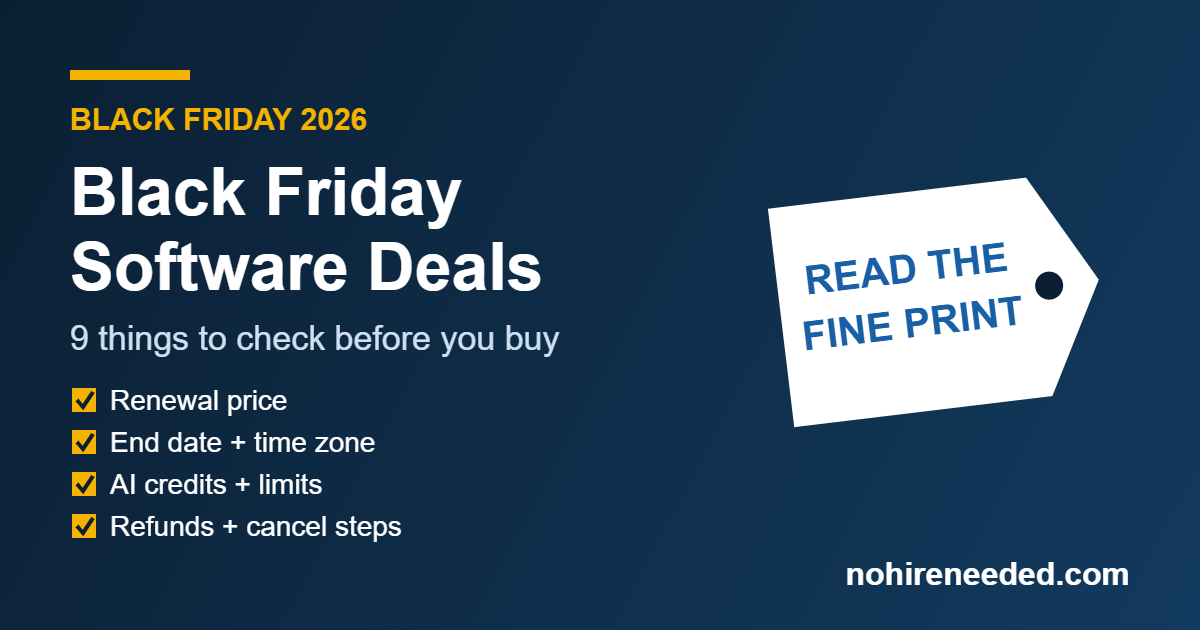
9 Things to Check Before You Buy Any Black Friday Software Deal
This is the checklist. Every item takes a minute or two on the tool’s pricing page, the checkout page or its terms. If you cannot find an answer to one of these, that is information too.
1. The renewal price
Look for the word “then.” “$99 for the first year, then $199 per year” tells you the real long-term cost. If the offer page does not show the renewal price, the regular pricing page usually does. Write both numbers down. The renewal price is the one you will pay for as long as you keep the tool, so it is the one that decides whether the tool is affordable.
2. Annual billing and “monthly equivalent” pricing
Many offers show a monthly number, such as “$12 per month,” that you can only get by paying for twelve months at once. That is fine, as long as you know the checkout total will be twelve times that number plus tax. Compare the annual total to the monthly plan’s total over the months you expect to use the tool, not to the monthly sticker price.
3. “Up to” and which plan qualifies
“Up to 50% off” means at least one option gets 50%. Often it is the largest plan or the longest term, and the plan a small business actually needs gets less. Find the discount on the exact plan and billing period you would buy. Also check whether the offer covers add-ons or only the base plan.
4. New customers only, or existing customers too
Most holiday offers are for new accounts. If you already pay for the tool, the deal may not apply, or it may apply only to an upgrade. It is still worth a short, polite message to the company’s support team: some offer existing customers an upgrade discount or an early renewal at the sale price, but only if you ask.
5. Usage limits, seats and AI credits
For AI tools in particular, the price is only half the plan. The other half is what you get: how many seats, contacts, projects, video minutes, generations or AI credits. Check three things. Is the discounted plan the same plan with the same limits, or a special holiday version with fewer? Do unused credits roll over, or reset every month? And what does it cost when you go over? A cheap plan with tight credits can end up more expensive than a pricier plan once overage charges start.
6. The end date and its time zone
“Ends Cyber Monday” is not an end date. A real offer names a date, a time and a time zone. That matters more than you would think: many software companies are based in Europe or Asia, and an offer that ends at midnight in Eastern Europe ends in the middle of the afternoon in Texas. If the end time is listed in UTC or another zone, convert it before you plan to buy at 11pm on the last day.
Also watch for the opposite trick: a countdown timer that resets every time you reload the page, or an offer that gets “extended” the day after it was supposed to end. That does not make the deal bad, but it does tell you the urgency was marketing.
7. The “regular” price behind the discount
A discount is only as real as the price it starts from. If a tool raised its list price in October and then offers 30% off in November, the savings are smaller than they look. The easiest protection: if you are watching a tool, take a screenshot of its pricing page now, before the sale starts, and compare. A company that shows a struck-through “was” price should have actually charged that price.
8. Refunds, cancellation and the renewal reminder
Find three things in the terms: the money-back window (14 or 30 days is common, and some holiday deals are marked non-refundable), whether an annual plan can be refunded in part if you cancel mid-year (usually not), and how you cancel. If cancelling means emailing support or calling during business hours, plan for that.
Do not count on the law to rescue a forgotten renewal. The Federal Trade Commission’s 2024 “click to cancel” rule was struck down by a federal appeals court in July 2025, and the FTC reopened the rulemaking process in March 2026, so a new federal rule is still a work in progress.
The FTC still enforces older laws against hidden subscription terms, and about 30 states have their own automatic renewal laws. California’s, updated in July 2025, requires an online cancel option and a yearly reminder for annual subscriptions.
But many of these protections are written for consumers, and a purchase made in your business’s name may not be covered the same way. (We are not lawyers; read the terms of anything you buy.) The FTC’s own plain-language advice is worth five minutes: getting in and out of free trials, auto-renewals and subscriptions.
The simplest protection is yours to set up: the day you buy, put a reminder on your calendar about three weeks before the renewal date, with the renewal price written in it.
9. How easy it is to leave
A year of a tool is also a year of your data inside it: contacts, emails, designs, notes, recordings. Before you commit, check whether you can export your data in a normal format (CSV, MP4, PDF, and so on) and whether that export is available on the plan you are buying. A deal that locks your work inside a tool you might outgrow is not much of a deal.
Lifetime Deals: When “Pay Once” Is Worth It
Lifetime deals cluster around Black Friday because they bring a software company a lot of cash quickly. For the buyer, they can be excellent or terrible, and the difference usually comes down to two questions.
First, what kind of tool is it? A lifetime deal makes the most sense for a single-purpose utility you could replace in an afternoon if it disappeared: a screenshot tool, a link shortener, a small design helper. It makes the least sense for a tool your business runs on every day, like your CRM, your email platform or your bookkeeping. If that company closes, changes direction or retires your plan, you will be migrating in a hurry.
Second, what does “lifetime” actually include? Read the deal’s own terms. Look for which plan is frozen in place, whether future features are included, and what happens to usage limits. AI tools deserve extra care here, because every AI generation costs the company money to run. A lifetime AI plan almost always comes with a monthly credit cap, and new AI features often land on higher plans that a lifetime account cannot reach.
A fair rule of thumb: treat a lifetime deal as if it will last two or three years. If it is still worth the price at that length, it is a good buy. If it only pays off over five or more years, you are betting on the company more than on the tool.
Do the Math: When a Black Friday Deal Actually Saves Money
Here is a worked example with a made-up tool and round numbers. The tool costs $30 per month on the monthly plan, or $288 per year on the annual plan (the equivalent of $24 per month). Its Black Friday offer: 40% off the first year of the annual plan, so $172.80 today, renewing at $288.
| How long you use it | Monthly plan | Annual plan, no deal | Black Friday deal |
|---|---|---|---|
| 3 months | $90 | $288 | $172.80 |
| 6 months | $180 | $288 | $172.80 |
| 12 months | $360 | $288 | $172.80 |
| 24 months | $720 | $576 | $460.80 |
Three things jump out. If you would quit after three months, the “deal” costs nearly twice as much as just paying monthly. The break-even point is a little under six months: $172.80 divided by $30 is 5.76. And over two years, the deal saves about $259 compared with paying monthly, but only about $115 compared with simply choosing the annual plan in any other month.
That last point is the one most people miss. A big part of what Black Friday software deals “save” is the normal annual discount the tool offers all year. The holiday part is real, but it is often smaller than the banner suggests.
The rule that falls out of this: if you are not confident you will use a tool for at least six months, pay monthly or skip it. If you are confident you will use it for a year or more, the holiday deal is usually the cheapest way in.
The AI Tool Twist
AI tools change faster than any other kind of software, and that changes how you should think about a year-long commitment.
- Plans get reshuffled often. In the past year, many AI tools have renamed plans, moved features between tiers, or changed how credits are counted. An annual plan protects your price, but not always your features.
- Credits are the real price. Two AI tools at the same monthly price can give you very different amounts of work, depending on how many credits each task uses. Compare the work you get, not the sticker.
- The best AI feature may be an add-on. Some tools sell their headline AI features separately from the plan being discounted. Make sure the feature you want is actually inside the plan you are buying.
- Last year’s leader may not be this year’s. In fast-moving categories like AI video and AI writing, the best tool for a small business can change in six months. That is an argument for monthly billing on anything you have not used for at least a few weeks.
None of this means avoiding annual deals on AI tools. It means saving them for the tools you have already proven in your own workflow, and trialing the rest month to month.
A 15-Minute Checklist Before Checkout
Print this, or keep it open in a tab when you shop Black Friday software deals:
- Name the job this tool will do, and what you use for that job today.
- Write down the deal price and the renewal price.
- Confirm the plan, the billing period and the limits (seats, credits, contacts) the deal covers.
- Find the end date, time and time zone, and convert it to yours.
- Read the refund window and how to cancel.
- Check that you can export your data.
- Do the break-even math: deal price divided by the monthly price.
- Ask yourself honestly: will I use this for longer than that break-even?
- Buy, then set a calendar reminder three weeks before renewal, with the renewal price in the note.
When to Skip a Deal Entirely
Sometimes the best Black Friday move is closing the tab. Skip the deal when:
- You are buying a tool for a job you do not have yet, because it was on sale.
- The tool duplicates something you already pay for, and you have no plan to cancel the old one.
- You cannot find the renewal price, the end date or the cancellation steps.
- Paying a year up front would squeeze your cash flow in December or January, which for many small businesses are already tight months.
- You have not tried the tool, and it offers a free plan or trial you could use first. Try it now; many holiday offers run into early December, so a week of testing usually still fits.
If your goal this season is getting through the busy weeks without extra help, start with the jobs, not the deals. Our holiday rush plan walks through which jobs to hand off first, and the AI Tool Guide maps tools to the roles they replace. If you are building on a tight budget, our budget tech stack shows how far free plans can take a small business before any purchase. Buy for the job you have already decided to hand off.
How We Choose the Offers on Our Deals Page
We run a deals page for AI tools during the holidays, and we built it around the same checklist we use to judge Black Friday software deals. An offer only goes on the page when the tool has confirmed it to us directly, in its own wording, with a real end date and time zone. We do not invent or reword offers, every card links to our full review so you can judge the tool before the price, and each card comes off the page when its offer ends. No end date, no listing.
Even so, check the offer on the tool’s own checkout page before you pay. The tool’s checkout is the final word on price and terms.
Key Dates for 2026
Thanksgiving is Thursday, November 26. Black Friday is November 27, Small Business Saturday is November 28, and Cyber Monday is November 30. Many Black Friday software deals started in early November and run into the first days of December, but every offer sets its own end date, so check each one.
FAQ
Are Black Friday software deals worth it?
For a tool you already use and plan to keep for a year or more, usually yes: the holiday price is often the lowest you will see all year. For a tool you have not tried, often no, because most deals require paying a full year up front and renew at the regular price.
Do Black Friday software deals apply after the first year?
Usually not. Most offers discount the first term only, then renew at the regular price. A few promise a discount that lasts as long as you stay subscribed. The offer’s own terms will say which; look for the word “then” or a phrase like “for the first year.”
Is a lifetime deal better than an annual discount?
It depends on the tool. A lifetime deal suits a small, single-purpose utility you could replace easily. For a core tool your business depends on, an annual discount from an established company is usually the safer choice, because a lifetime plan is only as durable as the company and the plan behind it.
Can I get a Black Friday price as an existing customer?
Sometimes. Most holiday offers are for new accounts, but some companies offer existing customers an upgrade discount or an early renewal at the sale price. It costs nothing to ask their support team.
What is the most important thing to check in a software deal?
The renewal price. It is the price you will pay for as long as you keep the tool, and it decides whether the tool is affordable long term. Write it down, and set a reminder before the renewal date.
Can I cancel a subscription I bought on Black Friday?
You can almost always stop it from renewing. Whether you get money back depends on the company’s refund policy, which is often 14 or 30 days and sometimes excludes holiday deals. The federal “click to cancel” rule is not in effect, so read the cancellation terms before you buy.